Koa2快速开始
安装Koa21
2npm init -y #默认初始化
npm install koa2 #安装koa2
hello world代码1
2
3
4
5
6
7
8
9
10const Koa = require('koa2')
const app = new Koa()
app.use(async ctx =>{
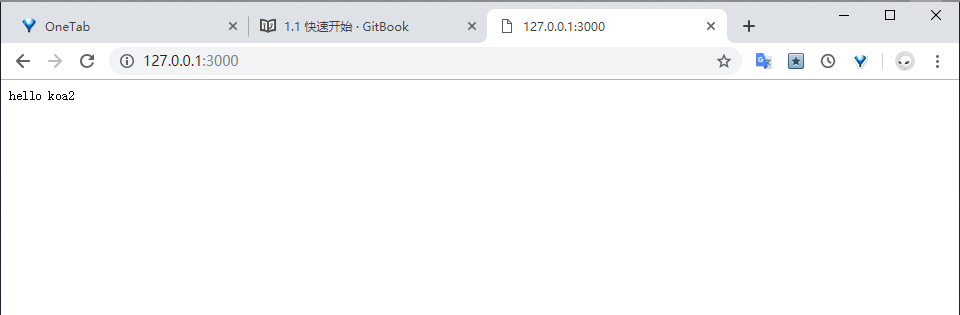
ctx.body = 'hello koa2 '
})
app.listen(3000)
console.log("the hello koa2 is running")
async/await的使用
koa2是基于async/await操作中间件的,来看看async/await的基本使用1
2
3
4
5
6
7
8
9
10
11
12
13
14
15
16
17
18
19
20
21
22
23
24
25
26
27
28
29
30
31
32
33
34
35
function getSyncTime(){
    return new Promise((reslove,reject)=>{
        try{
            let startTime = new Date().getTime()
            // 使用setTimeout模拟异步操作
            setTimeout(()=>{
                let endTime  = new Date().getTime()
                let data = endTime - startTime
                // 成功执行则调用reslove函数,通过.then()传给下一个
                reslove(data)
            },500)

        }catch(err){
            // 报错则调用reject函数
            reject(err)
        }
    })
}

// async声明异步
async function getSyncData (){
    let time = await getSyncTime()
    let data = `endTimes - startTimes = ${time}`
    return data
}


async function getData(){
    // await表示等待异步函数操作完成后接受传递过来的值
    let data = await getSyncTime()
    console.log(data)
}

getData()
- async/await可以让异步逻辑用同步写法实现
- 最底层的await返回需要时Promise对象
- 可以通过多层saync function的同步写法代替传统的callback嵌套
Koa2简析结构
1 | ├── lib |
koa2的源码源文件结构同上https://github.com/koajs/koa,核心 代码就是lib目录下的四个文件
- application.js是整个Koa2的入口文件,封装了context,request,reponse,以及最核心的中间件处理流程
- context.js 处理应用上下文,里面直接封装了部分request.js和request.js的方法
- requset.js 处理http请求
- reponse.js 处理http响应
koa2的特性:
- 只提供封装好的http上下文,请求,响应,以及基于async/await的中间件容器。
- 利用ES7的async/await来处理传统回调嵌套问题和代替Koa@1的generator
- 中间件只支持async/await封装的,如果使用koa@1的generator中间件需要通过koa-convert封装一下使用
koa中间件开发与使用
代码:1
2
3
4
5
6
7
8
9
10
11
12
13// async中间件开发
function log(ctx){
console.log(ctx.method,ctx.header,ctx.host+ctx.url)
}
// 通过闭包函数返回
module.exports = function(){
return async function (ctx,next){
log(ctx)
await next()
}
}
监控结果打印1
2
3
4
5
6
7
8
9
10
11
12
13
14
15
16
17
18
19GET { host: '127.0.0.1:3000',
connection: 'keep-alive',
'cache-control': 'max-age=0',
'upgrade-insecure-requests': '1',
'user-agent':
'Mozilla/5.0 (Windows NT 10.0; Win64; x64) AppleWebKit/537.36 (KHTML, like Gecko) Chrome/73.0.3683.86 Safari/537.36',
accept:
'text/html,application/xhtml+xml,application/xml;q=0.9,image/webp,image/apng,*/*;q=0.8,application/signed-exchange;v=b3',
'accept-encoding': 'gzip, deflate, br',
'accept-language': 'en-US,en;q=0.9,zh-CN;q=0.8,zh;q=0.7' } 127.0.0.1:3000/
GET { host: '127.0.0.1:3000',
connection: 'keep-alive',
pragma: 'no-cache',
'cache-control': 'no-cache',
'user-agent':
'Mozilla/5.0 (Windows NT 10.0; Win64; x64) AppleWebKit/537.36 (KHTML, like Gecko) Chrome/73.0.3683.86 Safari/537.36', accept: 'image/webp,image/apng,image/*,*/*;q=0.8',
referer: 'http://127.0.0.1:3000/',
'accept-encoding': 'gzip, deflate, br',
'accept-language': 'en-US,en;q=0.9,zh-CN;q=0.8,zh;q=0.7' } 127.0.0.1:3000/favicon.ico


评论加载中