在这个章节,我们将学习如何通过web服务上传以及下载文件。
File Upload
为了上传文件,你可以使用MultipartFile作为请求参数,并且此API应该使用Multi-part form数据。
代码如下:1
2
3
4
5
6
7
8
9
10
11
12
13
14
15
16
17
18
19
20
21
22
23
24package com.restfulapio.demo.controller;
import org.springframework.web.bind.annotation.RequestMapping;
import org.springframework.web.bind.annotation.RequestMethod;
import org.springframework.web.bind.annotation.RequestParam;
import org.springframework.web.bind.annotation.RestController;
import org.springframework.web.multipart.MultipartFile;
import java.io.File;
import java.io.FileOutputStream;
import java.io.IOException;
public class FileUploadController {
(value = "/upload",method = RequestMethod.POST)
public String fileUpload(@RequestParam("file") MultipartFile file) throws IOException {
File convertFile = new File("D:\\tmp\\"+file.getOriginalFilename());
convertFile.createNewFile();
FileOutputStream fout = new FileOutputStream(convertFile);
fout.write(file.getBytes());
fout.close();
return "File is upload successfully";
}
}
File Download
我们需要使用InputStreamResource来下载文件,并且设置响应头信息Content-Disposition以及指定响应Media Type
代码如下:1
2
3
4
5
6
7
8
9
10
11
12
13
14
15
16
17
18
19
20
21
22
23
24
25
26
27
28
29
30
31
32
33
34
35
36package com.restfulapio.demo.controller;
import org.springframework.core.io.InputStreamResource;
import org.springframework.http.HttpHeaders;
import org.springframework.http.MediaType;
import org.springframework.http.ResponseEntity;
import org.springframework.web.bind.annotation.RequestMapping;
import org.springframework.web.bind.annotation.RequestMethod;
import org.springframework.web.bind.annotation.RestController;
import java.io.File;
import java.io.FileInputStream;
import java.io.IOException;
public class FileDownloadController {
(value = "/download",method = RequestMethod.GET)
public ResponseEntity<Object> downloadFile() throws IOException {
String filename = "D:\\tmp\\test.txt";
File file = new File(filename);
InputStreamResource resource = new InputStreamResource(new FileInputStream(file));
HttpHeaders headers = new HttpHeaders();
headers.add("Content-Disposition", String.format("attachment; filename=\"%s\"", file.getName()));
headers.add("Cache-Control", "no-cache, no-store, must-revalidate");
headers.add("Pragma", "no-cache");
headers.add("Expires", "0");
ResponseEntity<Object>
responseEntity = ResponseEntity.ok().headers(headers).contentLength(
file.length()).contentType(MediaType.parseMediaType("application/txt")).body(resource);
return responseEntity;
}
}
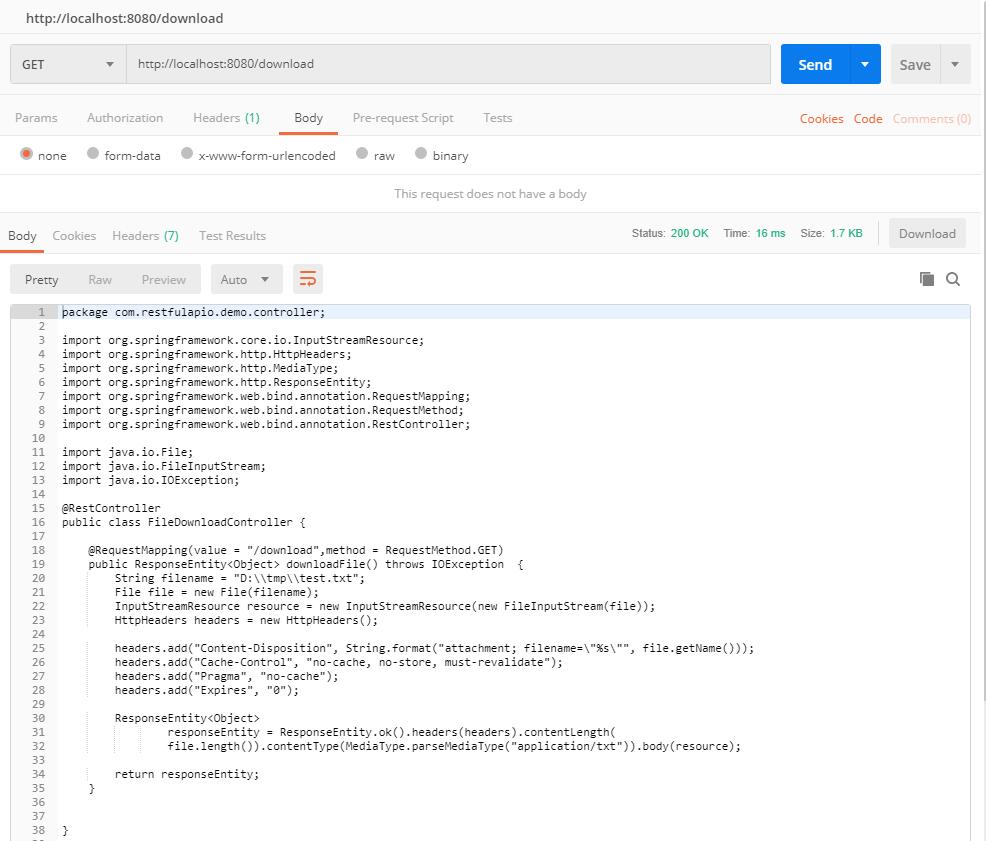
测试


评论加载中