Rest Template是用来创建使用RESTful Web服务的应用程序,你可以使用exchange()方法来使用所有HTTP相关的web服务,如下代码展示如何注入Rest Template 对象。
1
2
3
4
5
6
7
8
9
10
11
12
13
14
15
16
17
18
| package com.restfulapio.demo;
import org.springframework.boot.SpringApplication;
import org.springframework.boot.autoconfigure.SpringBootApplication;
import org.springframework.context.annotation.Bean;
import org.springframework.web.client.RestTemplate;
@SpringBootApplication
public class DemoApplication {
public static void main(String[] args) {
SpringApplication.run(DemoApplication.class, args);
}
@Bean
public RestTemplate getRestTemplate(){
return new RestTemplate();
}
}
|
GET
通过使用RestTemplate的exchange方法来使用GET API(http://localhost:8080/products)
你将按照如下步骤来使用API:
- 自动装配Rest Template 对象
- 使用HttpHeaders设置Request头信息
- 使用HttpEntity来封装request请求内容
- 指定URL,HTTPMethod,和Exchange()返回的类型
1
2
3
4
5
6
7
8
9
10
11
12
13
| @RestController
public class ConsumeWebService {
@Autowired
RestTemplate restTemplate;
@RequestMapping(value = "/template/products")
public String getProductList(){
HttpHeaders headers = new HttpHeaders();
headers.setAccept(Arrays.asList(MediaType.APPLICATION_JSON));
HttpEntity<String> entity = new HttpEntity<String>(headers);
return restTemplate.exchange("http://localhost:8080/products", HttpMethod.GET, entity, String.class).getBody();
}
}
|
POST,DELETE,PUT
步骤都是相同,不同的细节在于:
- POST自动封装了Product对象,进一步与headers封装至HttpEnitity对象中
- Update获取到id参数,以及自动封装Porduct对象,进一步转发请求
- DELETE获取到id参数,进一步转发请求
代码如下:
1
2
3
4
5
6
7
8
9
10
11
12
13
14
15
16
17
18
19
20
21
22
23
24
25
26
27
28
29
30
31
32
33
34
35
36
37
38
39
40
41
42
43
44
45
46
47
48
49
50
51
| package com.restfulapio.demo.controller;
import com.restfulapio.demo.bean.Product;
import org.springframework.beans.factory.annotation.Autowired;
import org.springframework.http.HttpEntity;
import org.springframework.http.HttpHeaders;
import org.springframework.http.HttpMethod;
import org.springframework.http.MediaType;
import org.springframework.web.bind.annotation.*;
import org.springframework.web.client.RestTemplate;
import java.lang.reflect.Array;
import java.util.Arrays;
@RestController
public class ConsumeWebService {
@Autowired
RestTemplate restTemplate;
@RequestMapping(value = "/template/products")
public String getProductList(){
HttpHeaders headers = new HttpHeaders();
headers.setAccept(Arrays.asList(MediaType.APPLICATION_JSON));
HttpEntity<String> entity = new HttpEntity<String>(headers);
return restTemplate.exchange("http://localhost:8080/products", HttpMethod.GET, entity, String.class).getBody();
}
@RequestMapping(value = "/template/products",method = RequestMethod.POST)
public String createProducts(@RequestBody Product product){
HttpHeaders headers = new HttpHeaders();
headers.setAccept(Arrays.asList(MediaType.APPLICATION_JSON));
HttpEntity<Product> entity = new HttpEntity<Product>(product, headers);
return restTemplate.exchange("http://localhost:8080/products",HttpMethod.POST,entity,String.class).getBody();
}
@RequestMapping(value = "/template/products/{id}",method = RequestMethod.PUT)
public String updateProduct(@PathVariable("id") String id, @RequestBody Product product) {
HttpHeaders headers = new HttpHeaders();
headers.setAccept(Arrays.asList(MediaType.APPLICATION_JSON));
HttpEntity<Product> entity = new HttpEntity<>(product, headers);
return restTemplate.exchange("http://localhost:8080/products/" + id, HttpMethod.PUT, entity, String.class).getBody();
}
@RequestMapping(value = "/template/products/{id}",method = RequestMethod.DELETE)
public String deleteProduct(@PathVariable("id") String id) {
HttpHeaders headers = new HttpHeaders();
headers.setAccept(Arrays.asList(MediaType.APPLICATION_JSON));
HttpEntity<Product> entity = new HttpEntity<Product>(headers);
return restTemplate.exchange("http://localhost:8080/products/" + id, HttpMethod.DELETE, entity,String.class).getBody();
}
}
|
测试
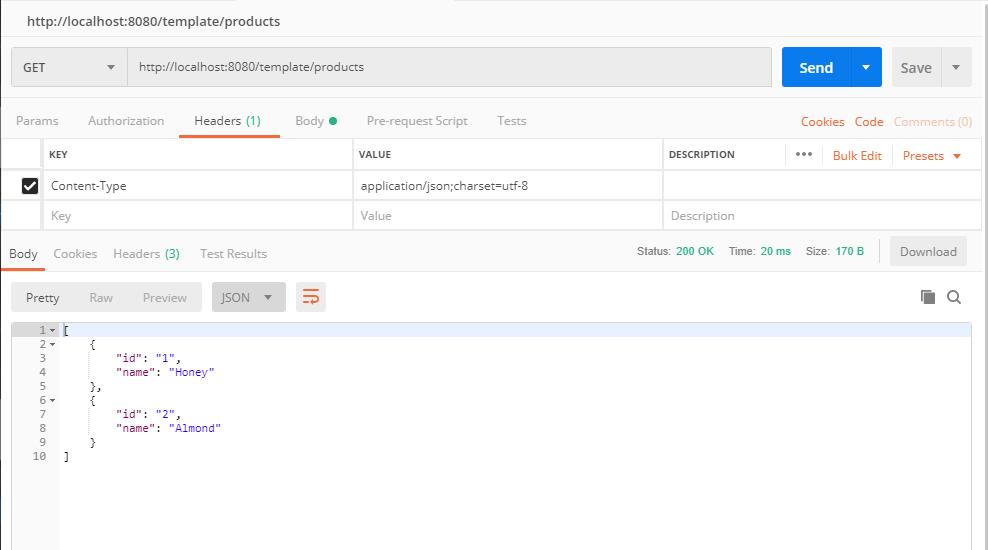
GET: http://localhost/template/products/
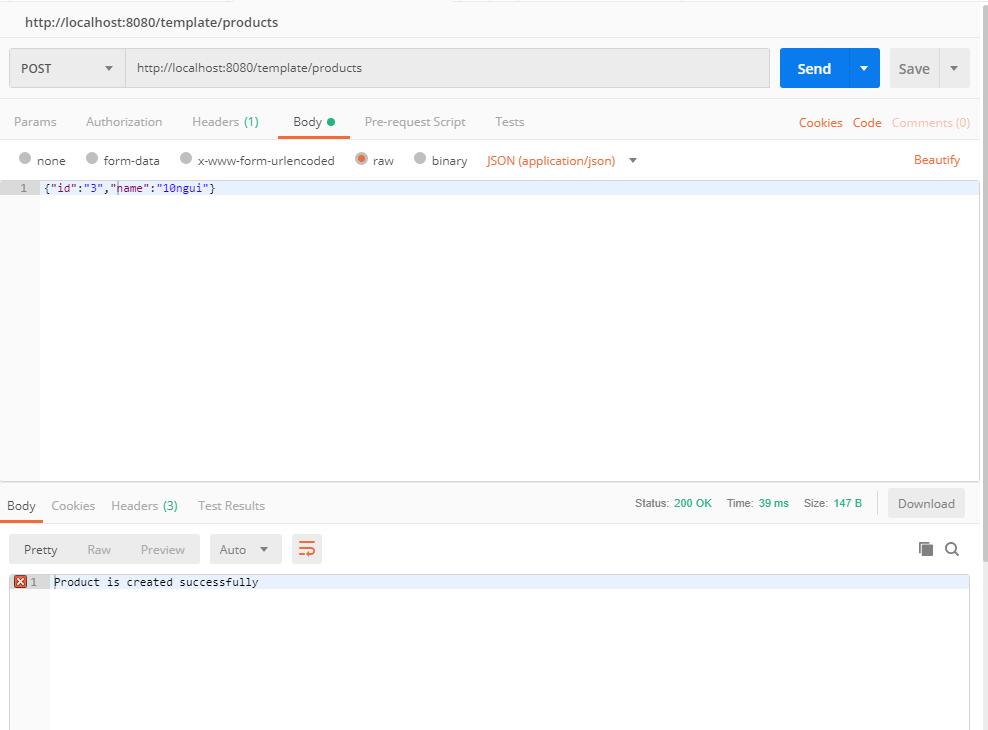
POST: http://localhost/template/products/3
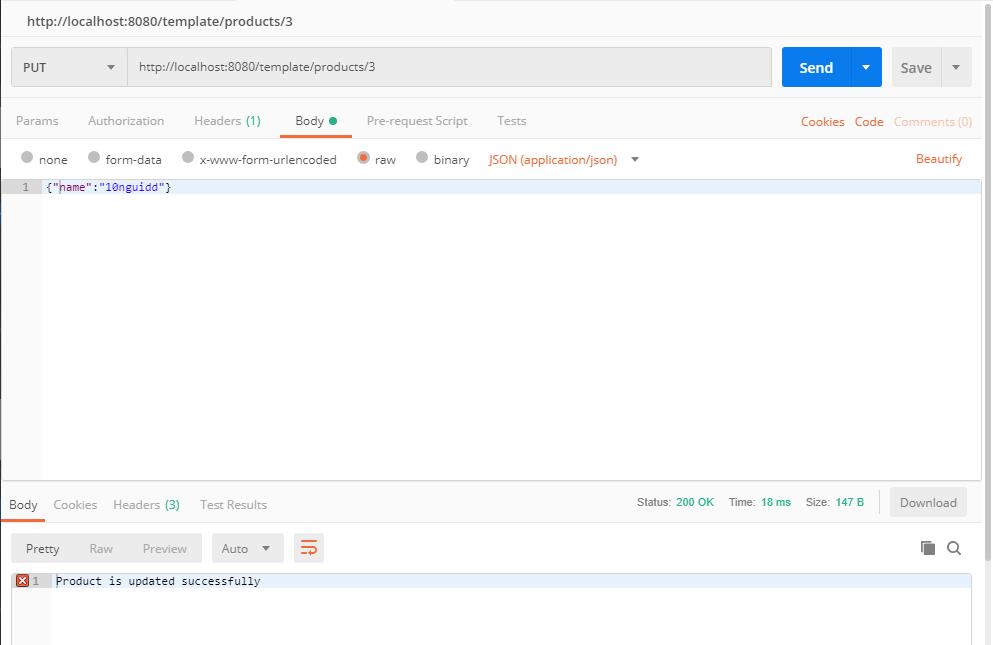
PUT: http://localhost/template/products/3
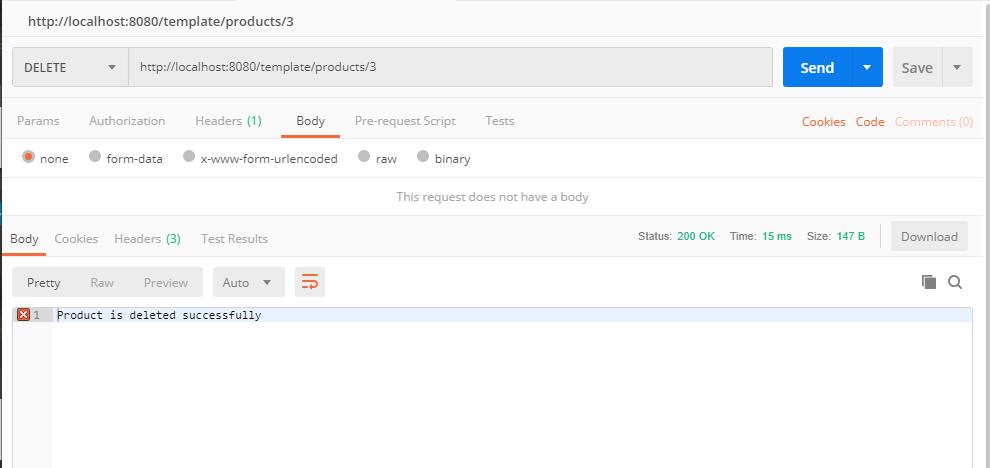
DELETE: http://localhost/template/products/3


评论加载中